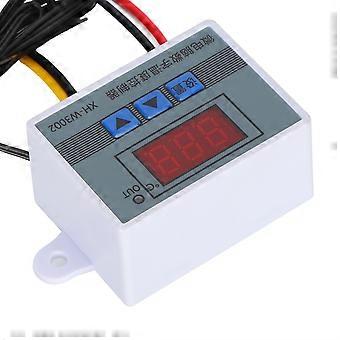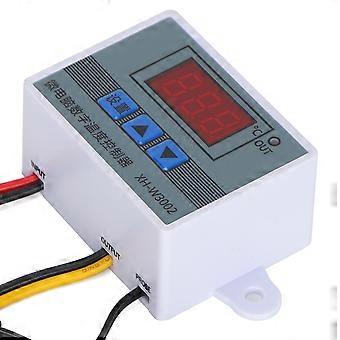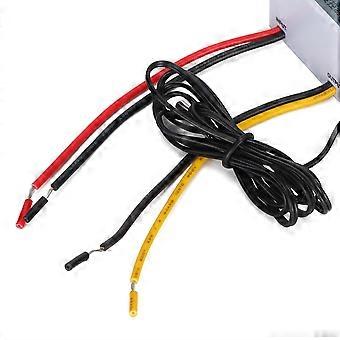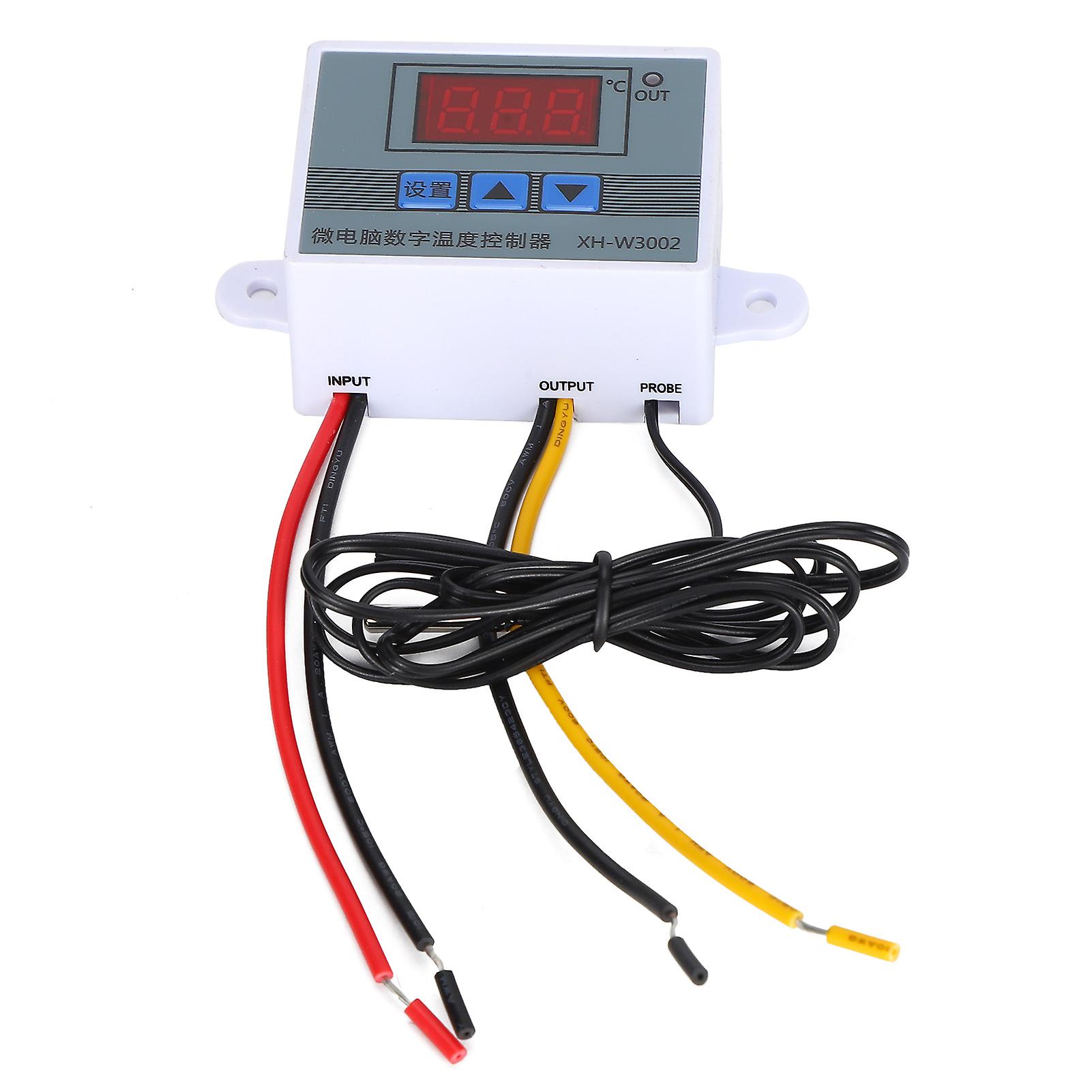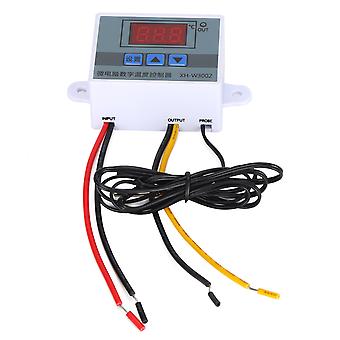
XH‑3002 Microcomputer Digital Temperature Controller, 24V Hatching Temperature Controller

11,95 €
envío GRATUITO

XH‑3002 Microcomputer Digital Temperature Controller, 24V Hatching Temperature Controller

  • Marca: Unbranded
Vendido por:
(Vendedor Premium)

XH‑3002 Microcomputer Digital Temperature Controller, 24V Hatching Temperature Controller

  • Marca: Unbranded

11,95 €

Ahorre 3,00 € (20%)

PVP

14,95 €
En existencias
envío GRATUITO

Política de devoluciones de 14 días

Vendido por:
(Vendedor Premium)

11,95 €

Ahorre 3,00 € (20%)

PVP

14,95 €
En existencias
envío GRATUITO

Política de devoluciones de 14 días

Métodos de pago:

Descripción

XH‑3002 Microcomputer Digital Temperature Controller, 24V Hatching Temperature Controller

Feature: 1. A variety of fields perfect use, convenient operation and practical settings, is your side temperature control housekeeper. 2. It is precise and reliable with good long‑term stability. Convenient for install and fixed. Small size, low power consumption, fast response. 3. Easy operation, to set start temperature, stop temperature, corrected temperature connector and so on. 4. Suitable for hatching, breeding, air and water temperature control and other related temperature detection and control. 5. Specifications are optional, precise temperature control, temperature calibration. Specification: ItemType: Digital Temperature Controller Material: Plastic Weight: Approx. 51g / 1.8oz Operating Voltage Specifications: 12V, 24V, 110-220V Accuracy Level: 0.1 Temperature Measurement Range: -50-110 (℃) Temperature Measurement Accuracy: -15-65 (℃) Humidity Measurement Accuracy: 1 (RH) Temperature Measurement Error: ±1 (℃) Applicable Environment: -15-55℃ / 20%-85%RH Product Embedded Hole Size: 73mm / 2.9in, Hole Diameter (φ4mm) How to use: 1. Press the setting button once to enter the internal menu, the default display is P0, press the setting button again, and set the required starting temperature through the up and down buttons. 2. Press the setting key once to enter the internal menu, the display is P0, switch to P1 through the up and down keys, press the setting key again, and set the required stop temperature through the up and down keys. 3. Enter the internal menu in the same way, switch to P2 through the up and down buttons, press the setting button again, and set the required calibration temperature through the up and down buttons. (Note: In the setting, if the detected temperature value is 0.5°C larger than the actual temperature value, then the calibration temperature that needs to be set is -0.5°C. If the detected value is 1°C lower than the actual temperature value, the calibration temperature that needs to be set is 1°C. Detection temperature + Correction temperature = Actual temperature.) 4. Enter the internal menu in the same way, switch to P3 by pressing the up and down buttons, press the setting button again, and set the required delay time through the up and down buttons in minutes. (Note: Delayed start is generally used for compressor refrigeration. If it is used for refrigerators and freezers, this value needs to be set. According to the compressor back pressure, the general setting value is 3-6 minutes. If you are not used for control or no delay function is needed, just skip it. Temperature control mode 1. Setting essentials: Start temperature <stop temperature (the program automatically judges that the working mode is heating mode) 2. Setting method: press the setting key to enter the internal menu, set the start temperature through the P0 value, and set the stop temperature through the P1 value Use case: Control the water heater, stop heating to 50°C, and start heating again when the temperature returns to 40°C, how to set it? 1. Make sure that the working mode is heating mode, starting temperature <stop temperature. 2. Press the setting key to enter the internal menu, select P0 to start the temperature and set the P0 value to 40°C. 3. Press the set key to enter the internal menu, select P1 to stop the temperature and set the value of P1 to 50℃ Cooling mode 1. Setting essentials: start temperature> stop temperature (the program automatically judges that the working mode is cooling mode) 2. Setting method: Press the setting key to enter the internal menu, set the start temperature through the P0 sets the stop temperature through the P1 value. Use case: empty cabinet radiator, heat dissipation stops at 26℃, and the temperature rises to 30℃ to start the radiator again, how to set it? 1. Make sure the working mode is cooling mode, starting temperature>stop temperature. 2. Press the setting key to enter the internal menu, select P0 to start the temperature change and set the P0 value to 30°C. 3. Press the setting key to enter the internal menu, select P1 to stop the temperature and set the value of P1 to 26℃.. Package List: 1 x Temperature Controller Note: 1. Press and hold the up and down keys at the same time, wait until the screen displays 888 to restore the factory settings.2. The screen displays LLL, indicating that the temperature probe is not plugged in, disconnected, or damaged, just replace it.3. The screen display HHH indicates that the temperature probe is short‑circuited and exceeds the temperature detection range.
  • Nº de Fruugo : 411126287-869983466
  • EAN: 7603816057690

Entrega y devolución

Enviado en 24 horas

  • STANDARD: GRATIS - Entrega entre mar 27 enero 2026–mar 03 febrero 2026 - GRATIS

Envío desde China.

Hacemos todo lo posible para asegurarnos de que se le entreguen los productos que pida en su totalidad y de acuerdo con sus especificaciones. Sin embargo, si recibe un pedido incompleto o artículos diferentes a los que pidió, o hay alguna otra razón por la que no está satisfecho con el pedido, puede devolver el mismo o cualquier producto incluido en él y obtener un reembolso completo por los artículos. Vea la política de devolución completa

Detalles de cumplimiento del producto

Consulte la información de cumplimiento específica de este producto que se describe a continuación.

La siguiente información es proporcionada por el minorista independiente que vende este producto.

Fabricante:
La información que se proporciona a continuación incluye los datos de contacto del fabricante del producto de referencia a la venta en Fruugo.

  • Wuhan Jinxingkai Network Technology Co., Ltd.
  • Wuhan Jinxingkai Network Technology Co., Ltd.
  • No. 1-1, Door 57
  • Shihua Village
  • Qingshan District
  • Wuhan
  • CN
  • 430000
  • goldxinks@163.com
  • 0086 17786498762
  • https://shop01473o1711614.1688.com/page/creditdetail.htm?spm=a261y.7663282.shopNavigation.1.6310755czE9SFQ

Persona responsable en la UE:
La información que se proporciona a continuación incluye la información de contacto de la persona responsable en la UE. La persona responsable es el agente económico designado con sede en la UE responsable de las obligaciones de cumplimiento en relación al producto de referencia a la venta en la UE.

  • None
  • Kequ Technology s.r.o.
  • Pražákova 1008/69
  • Štýřice
  • Jihomoravský kraj
  • Brno
  • CZ
  • 63900
  • christopher25106@outlook.com
  • 420608214795