Descripción
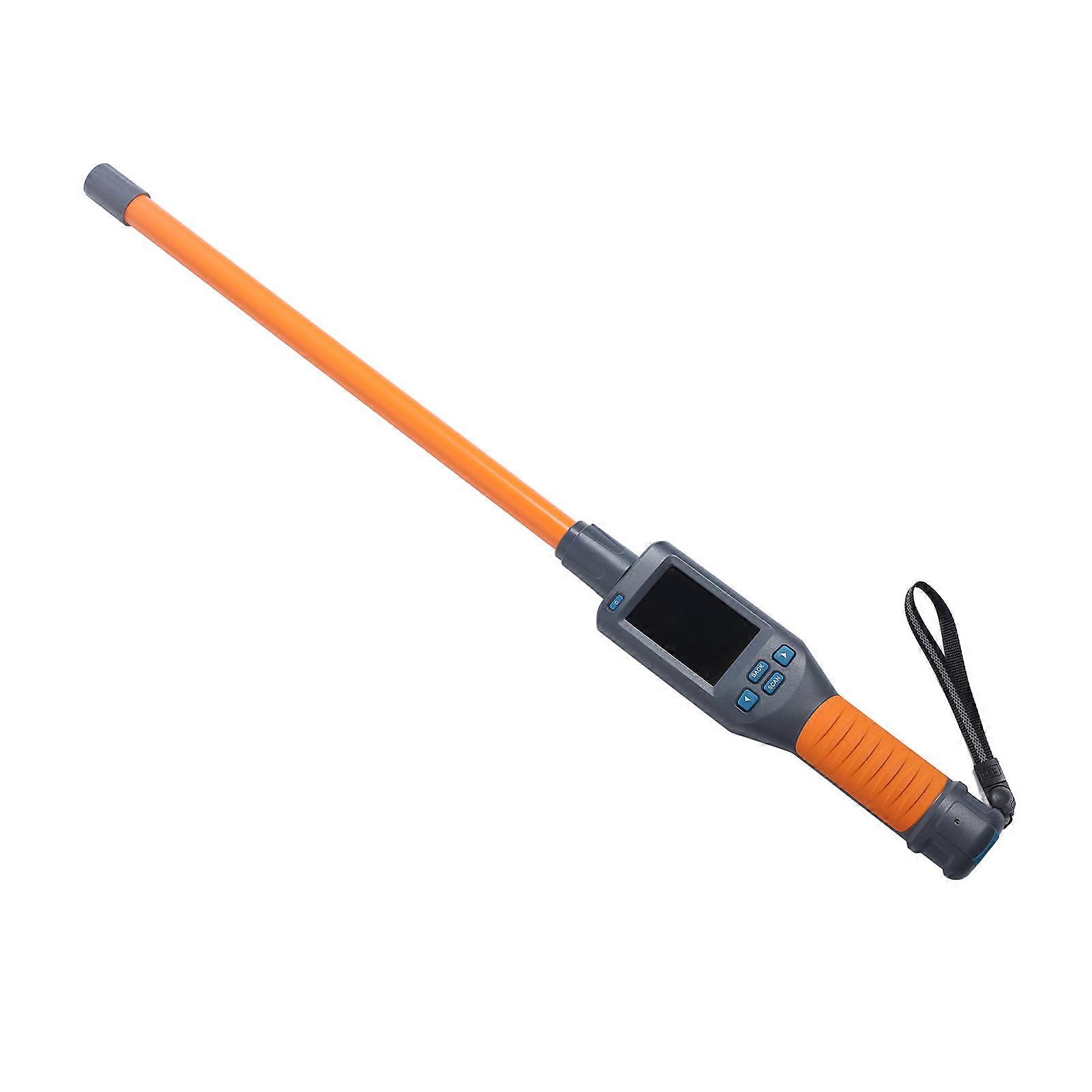
134.2KHz Bluetooth Animal Ear Tag Reader USB Rechargeable 79cm
134.2Khz 125KHz Bluetooth Animal Ear Tag Reader Wireless Pet Microchip Scanner Reader USB Rechargeable Animal Ear Tag Tracking Scanner for Livestock
Item Type: Animal Ear Tag Reader
Product Material: Plastic
Weight: Approx. 1278g / 2.8lb
Working Temperature: -10℃~50℃
Storage Temperature: -30℃~70℃
Working Frequency: 134.2KHz, 125KHz
Label Formats: FDX-B, FDX-A, HDX, EMID, ID64 (ISO11784/85)
Sensing Distance:
FDX-B: 2 x 12mm Glass Tube Label>8cm 30mm Animal Ear Label>20cm
FDX-A: 2 x 12mm Glass Tube Label>6cm
HDX: 30mm Animal Ear Tag>18cm
ENID, ID64: 85mm x 55mm Card>15cm
Standard: ISO11784/85
Reading Time: Less Than 100ms
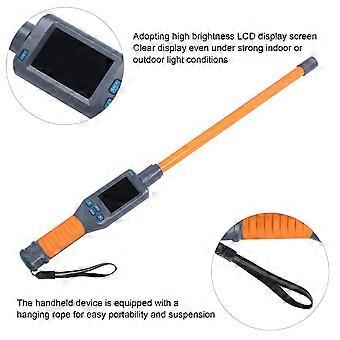
Signal Indication: 480 x 320 High Brightness LCD, Buzzer
Battery: Lithium Battery, 0.4W, 3000mAh (Shipped With Built In Battery)
Power Supply: USB 5V
Storage Capacity: 20000 Pieces Of Information (Label Encoding And Time)
Battery Endurance: Fully Charged With More Than 20000 Reads
Communication Interface: USB2.0, Bluetooth
Application: Animal Identification And Management
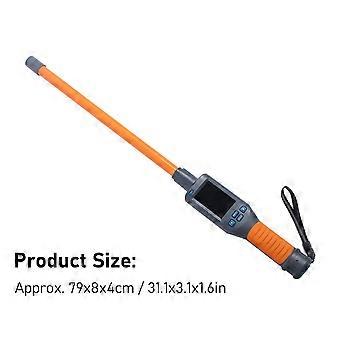
Product Size: Approx. 79 x 8 x 4cm / 31.1x3.1x1.6inLanguages: Chinese, English, Russian, French, German, Japanese, Mongolian, Dutch, Danish, Traditional Chinese, Spanish, Portuguese, Kazakh.
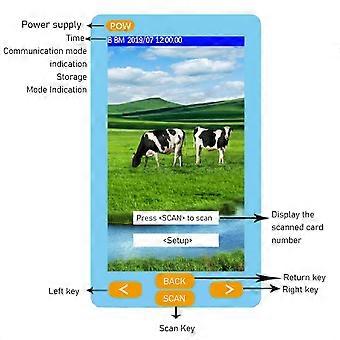
1. Return to the scanning interface
In the icon interface, press the return button at the "Return to Scan Interface" menu, and click the "SCAN" button to return to the main screen for power on scanning.
2. Language settings
To change the language, move the "arrow" cursor to the "Language Settings" menu and press the "SCAN" key to enter the language settings menu. Use the "arrow" cursor to select. (Note: The languages included in the device include Chinese, English, Russian, French, German, Japanese, Mongolian, Dutch, Danish, Traditional Chinese, Spanish, Portuguese, and Kazakh.)
3. Storage settings
Move the "Arrow" cursor to the "Storage Settings" menu and press the "SCAN" key to switch between "Y" and "N". (Note: If the storage mode is set to "Y", the reader will automatically store the label type, ID number, and operation time after reading the label information. If the storage mode is set to "N", the information will not be stored.)
4. Reread settings
Move the "Arrow" cursor to the "Re reading Settings" menu and press the "SCAN" key to switch between "Y" and "N".
(Note: If the reread mode is set to "Y" mode, the handheld device will save the same or different label information read into memory; if it is set to "N" mode, the read label information will not be stored when the same label information is stored in memory, and the buzzer will sound two prompts.)
5. Data markers
Move the "arrow" cursor to the "Data Marking" menu, click the "SCAN" key to enter the data marking menu for marking. The data read by the factory equipment is not marked by default.
(Note: This function is a data marking function, which can set 9 different sets of flags to mark the type of label to be read.)
6. Data comparison
Move the "Arrow" cursor to the "Data Comparison" menu, press the "SCAN" key to switch between "Y" and "N". After setting the "Y" mode, the device will enable the comparison function, and the read data will be compared with the data that needs to be compared when importing the handheld. If there is the same label information, the buzzer will sound three prompts.
7. Buzzer settings
Move the "Arrow" cursor to the "Buzzer" menu and press the "SCAN" key to switch between "Y" and "N".
(Note: "Y" indicates that the buzzer is turned on in audible mode, and "N" indicates that the buzzer is turned off in silent mode.)
8. Delete card reading data
Move the "Arrow" cursor to the "Delete Data" menu and press "SCAN" three times to delete all data in memory.
(Note: After deleting data, the data cannot be restored. Users are advised to operate with caution.)
9. Version number
Move the "arrow" cursor to the "version number" menu and press the "SCAN" key to query the factory version information and website address of the device.10. Card reading selection
Move the "Arrow" cursor to the "Card Reading Selection" menu, click the "SCAN" key, and enter the card reading mode selection.
(Note: The mode to be read can be selected through the cursor, which supports switching between single card reading and continuous card reading. At the same time, there is a time delay shutdown function for 2, 3, 5, 10, and 20 minutes to select.).
11. Bluetooth switch settings
Move the "arrow" cursor to the "Bluetooth" menu, press the "SCAN" key to switch between "Y" and "N", set it to "Y" mode, turn on the Bluetooth function of the handheld device, set it to "N" mode, and turn off the Bluetooth function of the handheld device.
(Note: After Bluetooth is turned on, it is necessary to connect with the relevant Bluetooth device. After successful connection, the handheld device will send the current tag ID number to the relevant Bluetooth device through Bluetooth every time it reads the information.)
12. Shutdown
Move the "Arrow" cursor to the "Shutdown
-
Nº de Fruugo :
410181671-868523358
-
EAN:
7901332014891